Adding Google Analytics (GA) to your Shopify store is crucial for understanding your customers and optimizing your business for growth.
GA4 could be challenging to get right. With Multifeeds' Pixel and tags, it is as simple as copy and paste the measurement ID.
If you don't have a GA4 account or GA4 property yet, start by creating them first. The steps below assume that you have created a property dedicated for your Shopify store.
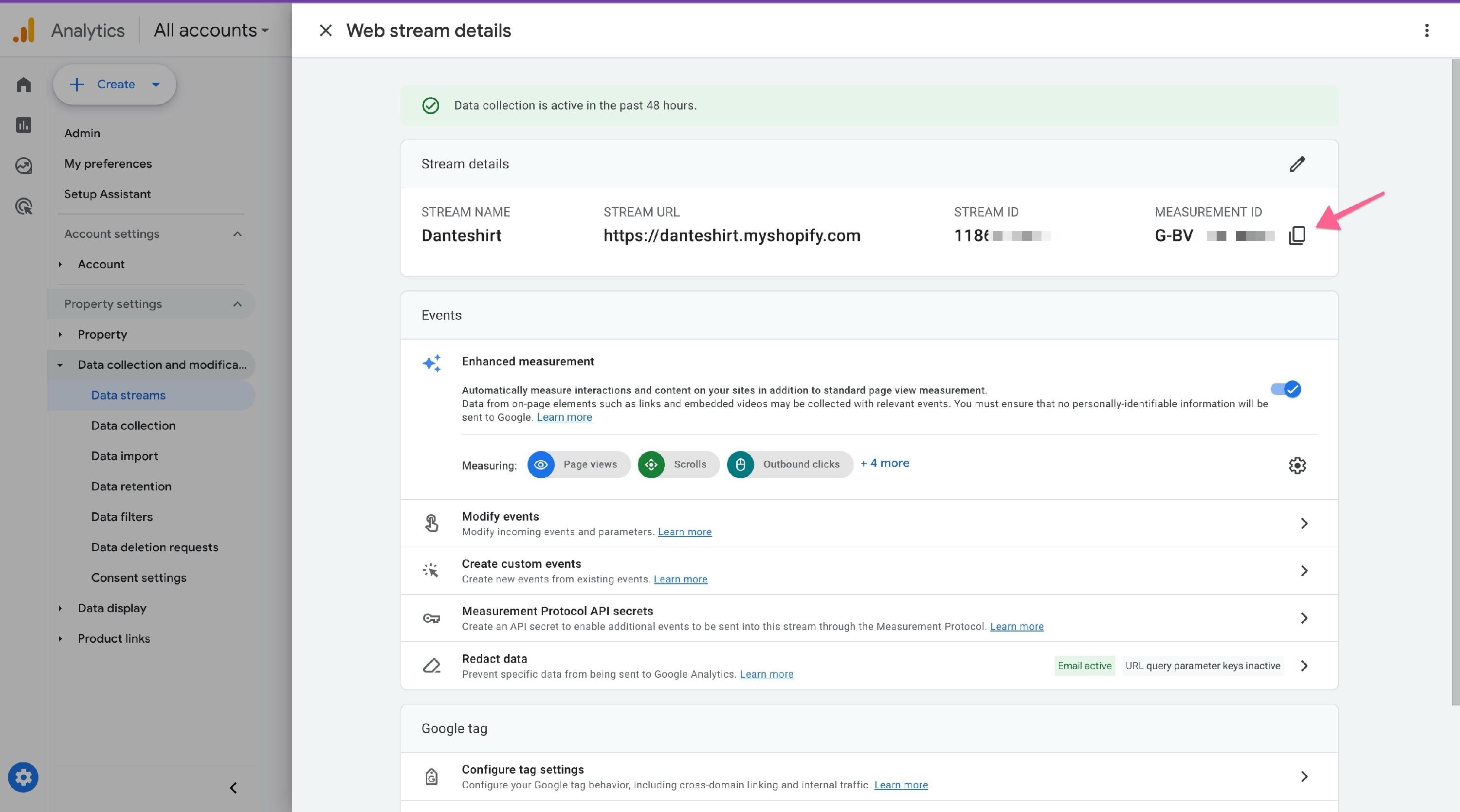
A Google Analytics Measurement ID is a unique code that connects your website or app to Google Analytics 4 (GA4). You can find your Measurement ID in the GA4 interface within the "Data Streams" section of your property's admin settings.
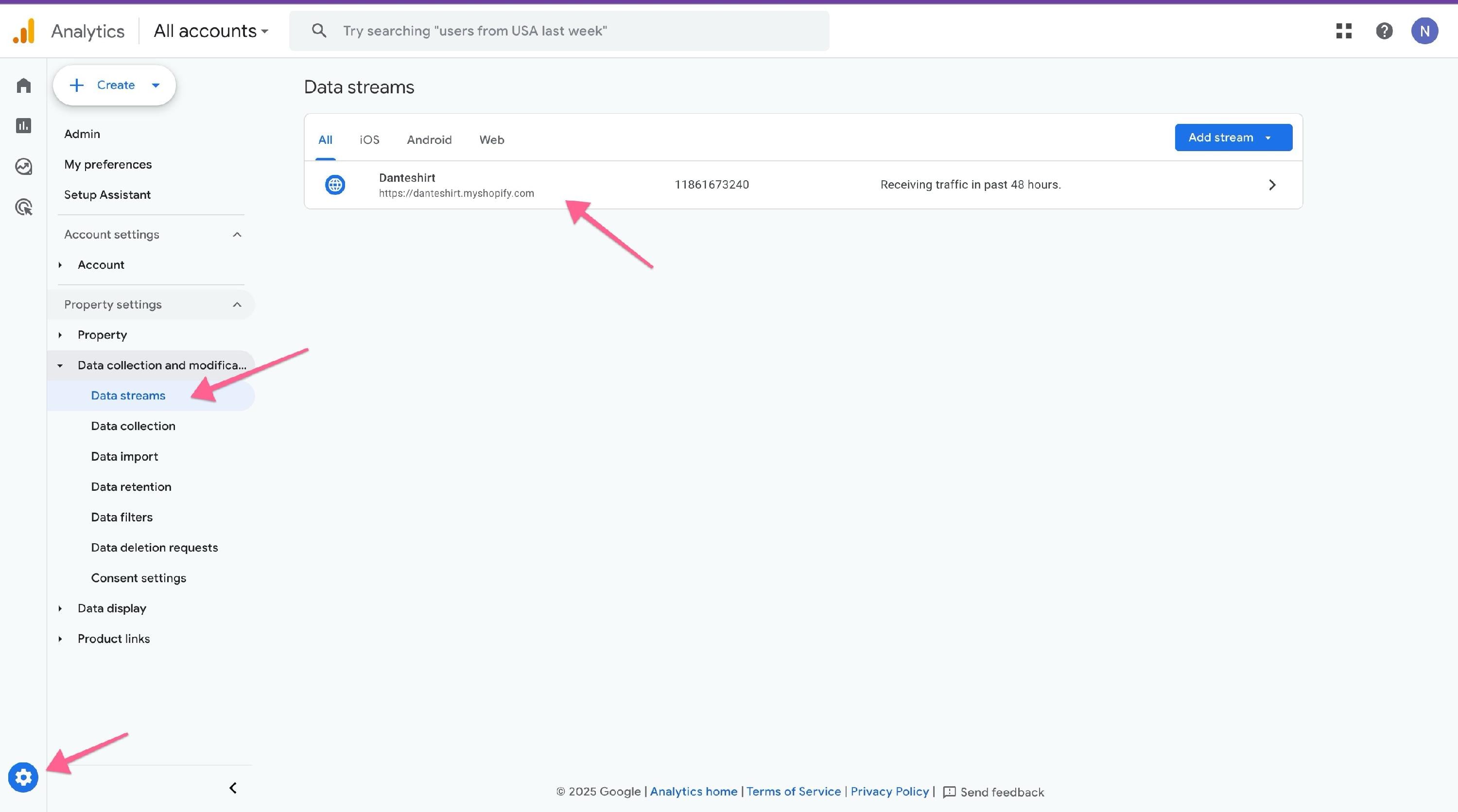
Open the data stream, and copy the measurement ID
Paste it into the app
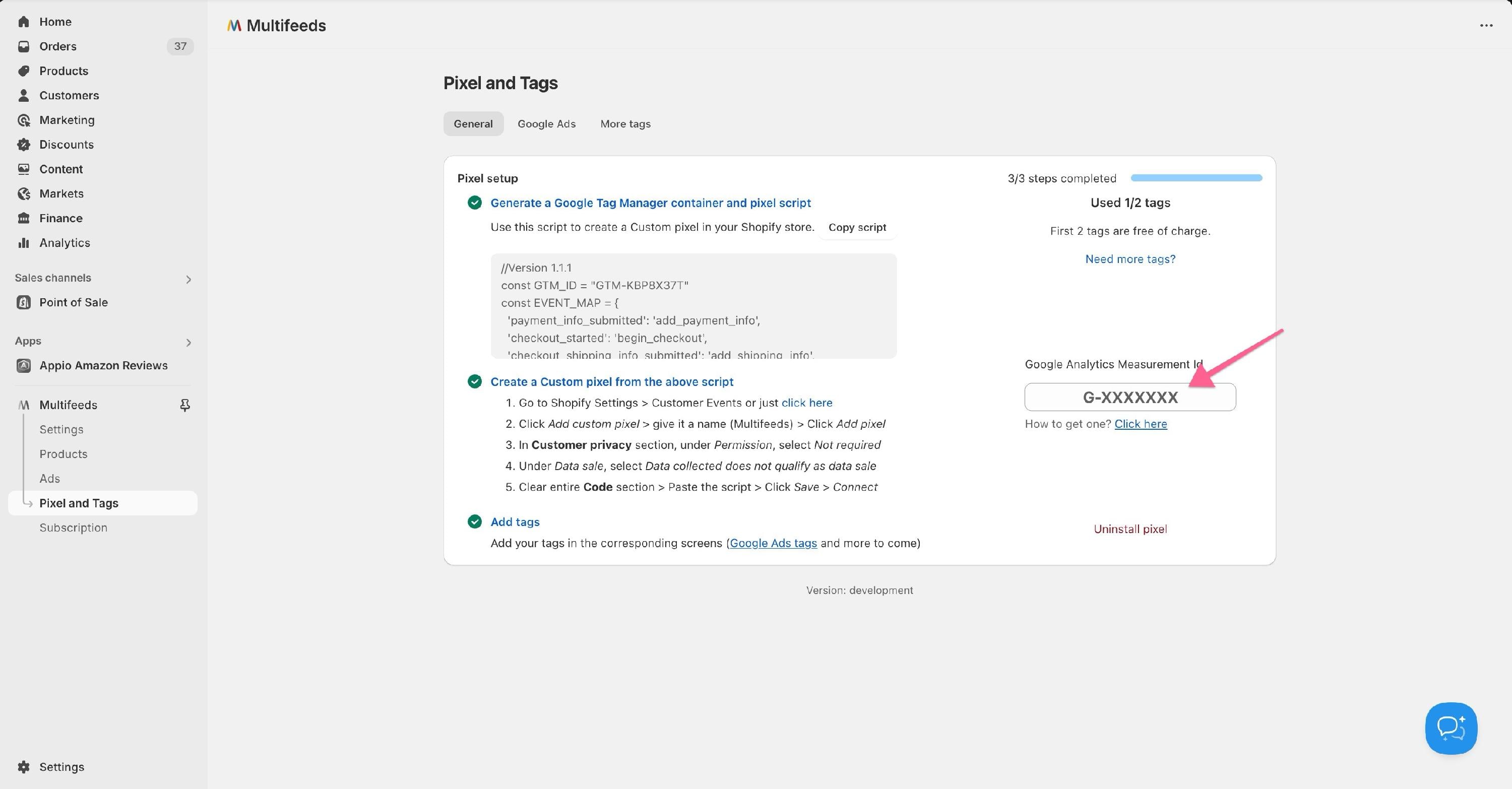
And you can move on to test GA4 on your Shopify store
You will not be able to view the debug mode in GA4. But you can view the realtime data to verify it’s tracking.
In your Google Analytics dashboard, go to Reports > Realtime overview
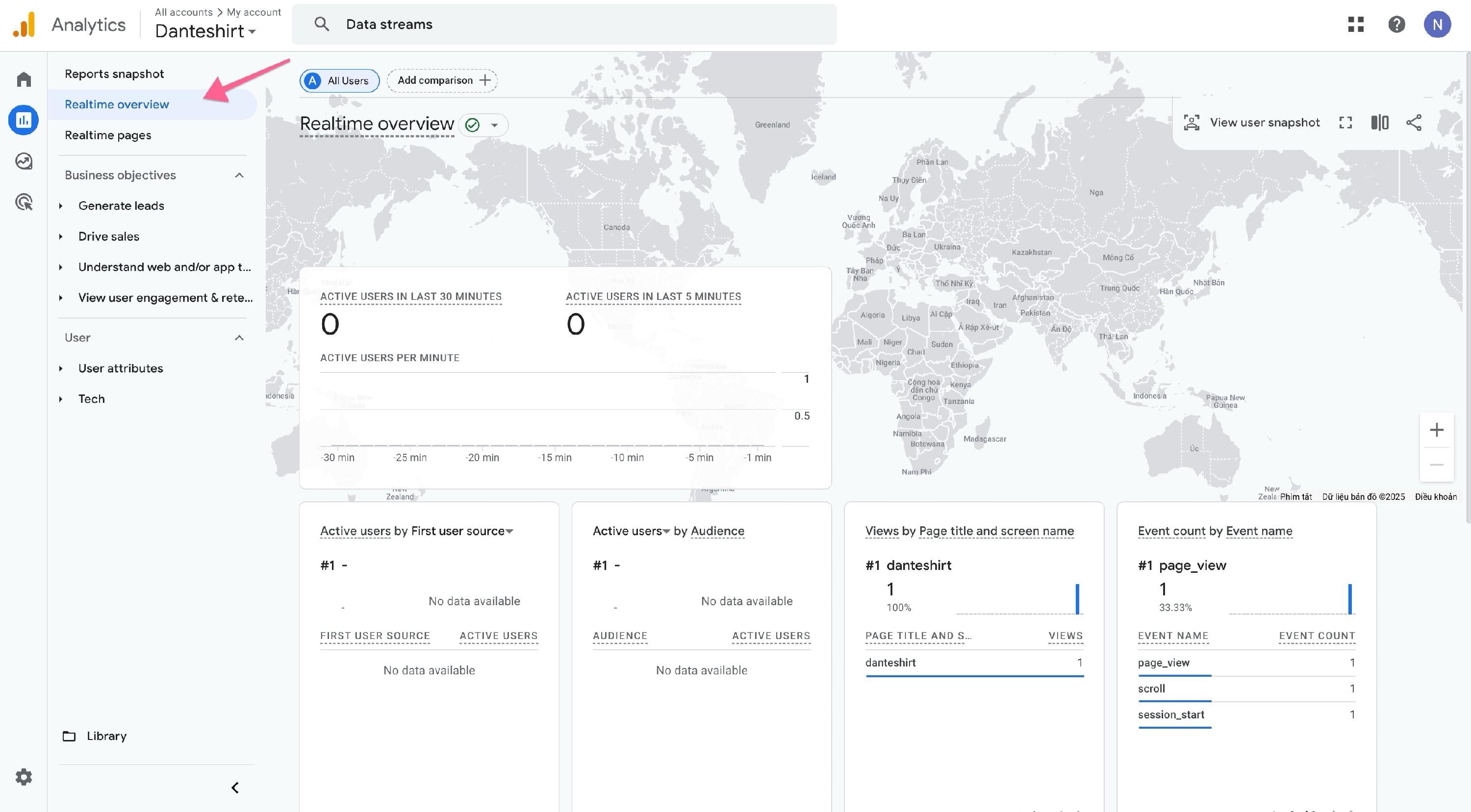
Open the Shopify store in another browser and watch the realtime data showing up as you navigate the store.
Most of the recommended events for online sales are supported out of the box
EventTrigger when a user...Supported | ||
submits their payment information during checkout | Yes | |
submits their shipping information during checkout | Yes | |
adds items to their shopping cart | Yes | |
| No | |
begins checkout | Yes | |
completes a purchase | Yes | |
| No | |
removes items from their shopping cart | Yes | |
| No | |
| No | |
views their shopping cart | Yes | |
views an item | Yes | |
views a list of items or offerings | Yes | |
| No |
