
To connect a Google Ads conversion action to Multifeeds, you need its Conversion ID and Conversion Label.
Step 1: Open the conversion action
Sign in to your Google Ads account.
Click Goals in the left-hand menu.
Go to Conversions → Summary.
Find and click the conversion action you want to connect, such as Multifeeds Purchase.
Step 2: Open the tag setup
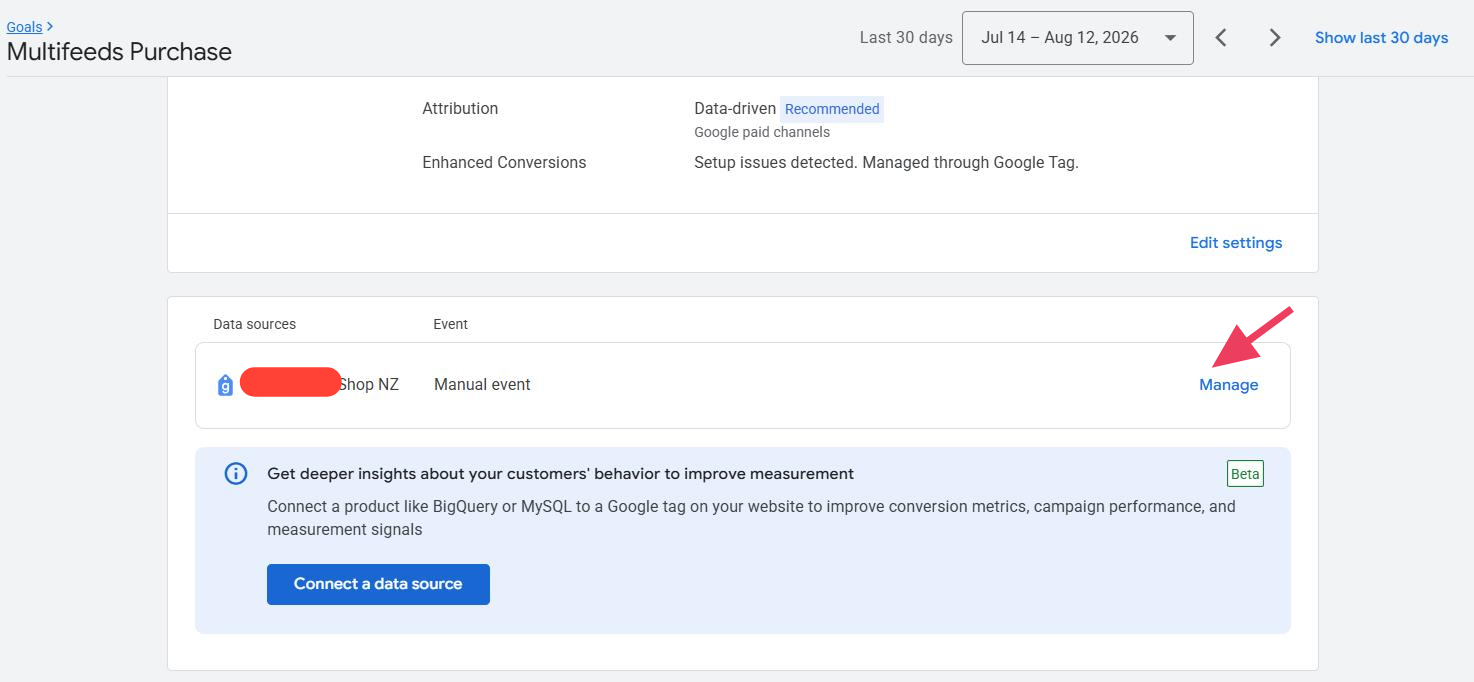
Scroll down to the Data sources section and click Manage.
Step 3: Find the Conversion ID and Conversion Label
Select the Use Google Tag Manager tab.
You will see the following information:
Conversion ID
Conversion Label
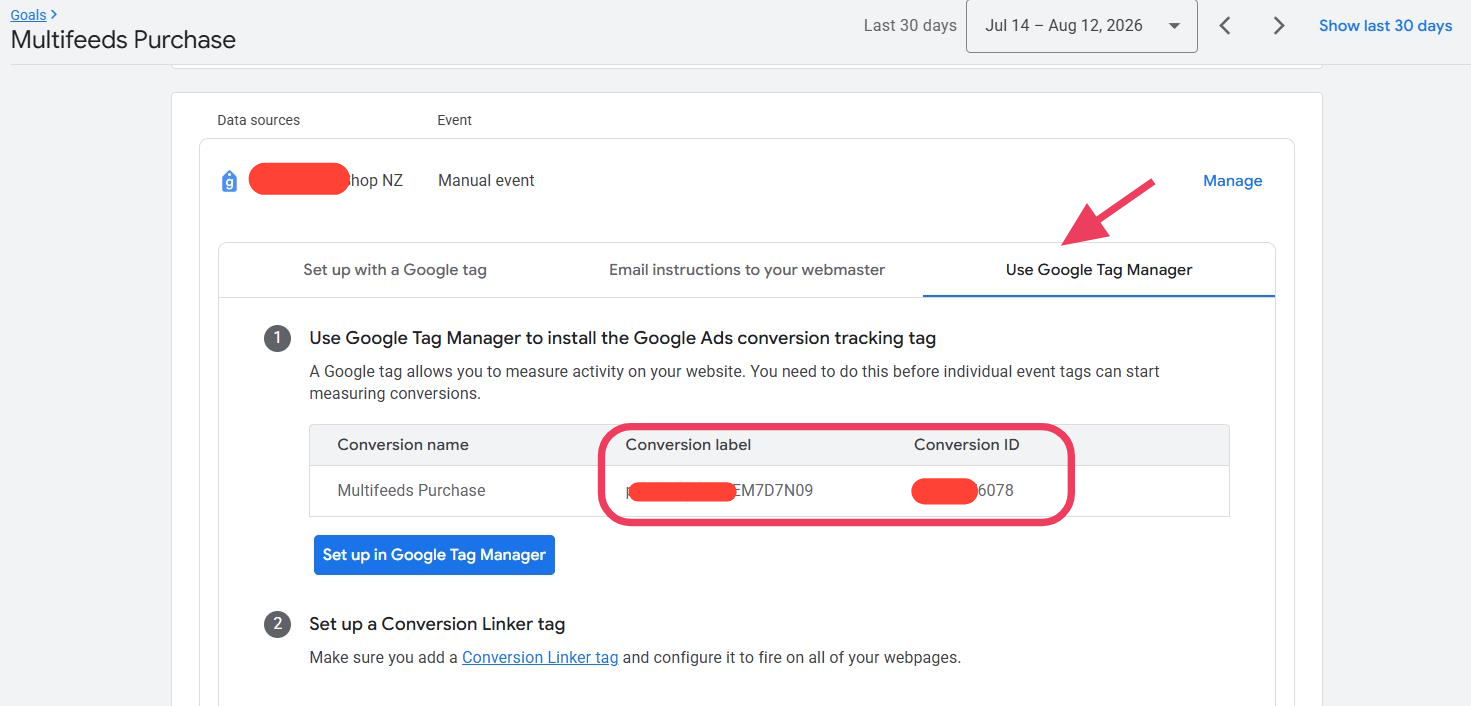
Copy both values and enter them into the corresponding fields in your Multifeeds tracker.
For additional information, see Google’s instructions for finding a Conversion ID and Conversion Label.