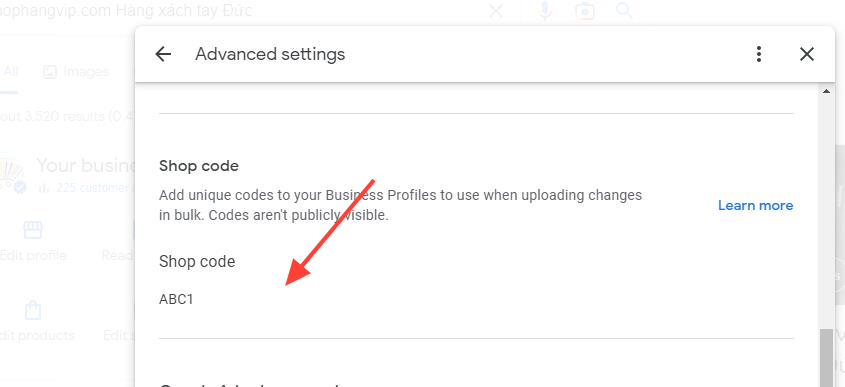
To add or change the store code , please go to your Google Business Profile Manager.
Following the steps to find the store code for Google Shopping Local Product Inventory feed.
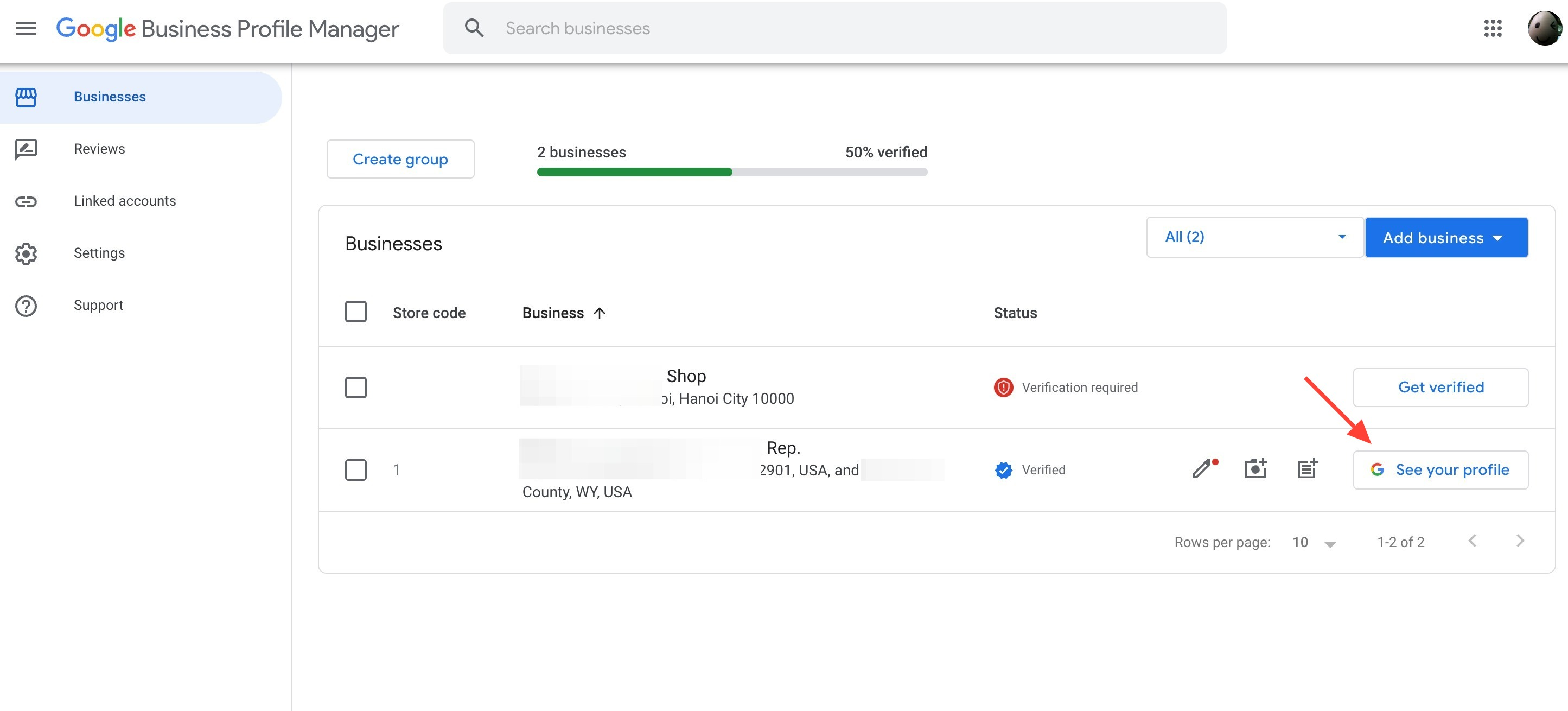
Sign in to Google Business Profile Manager
Click "See your profile"
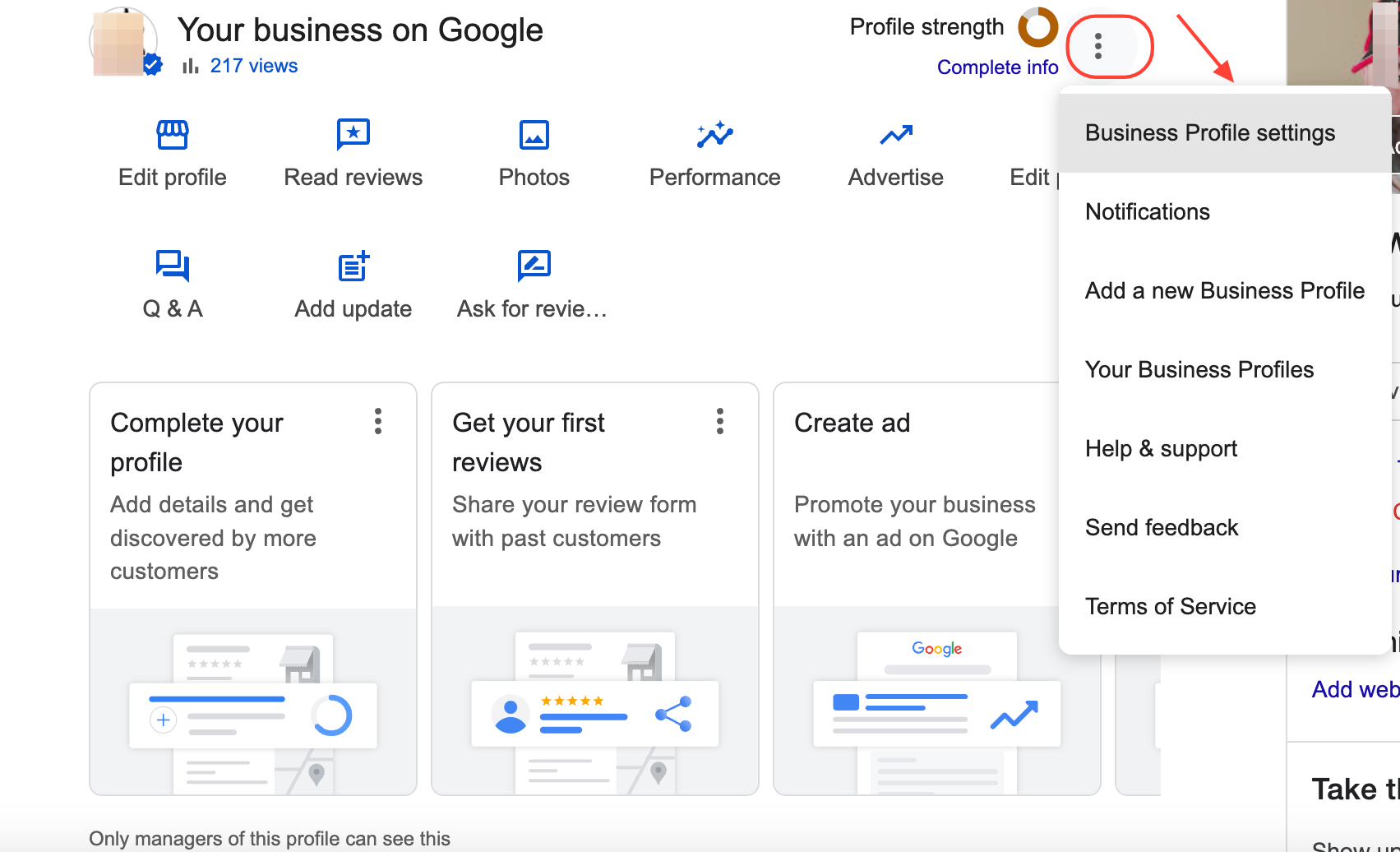
Click "three dots" button and select the "Business profile settings"
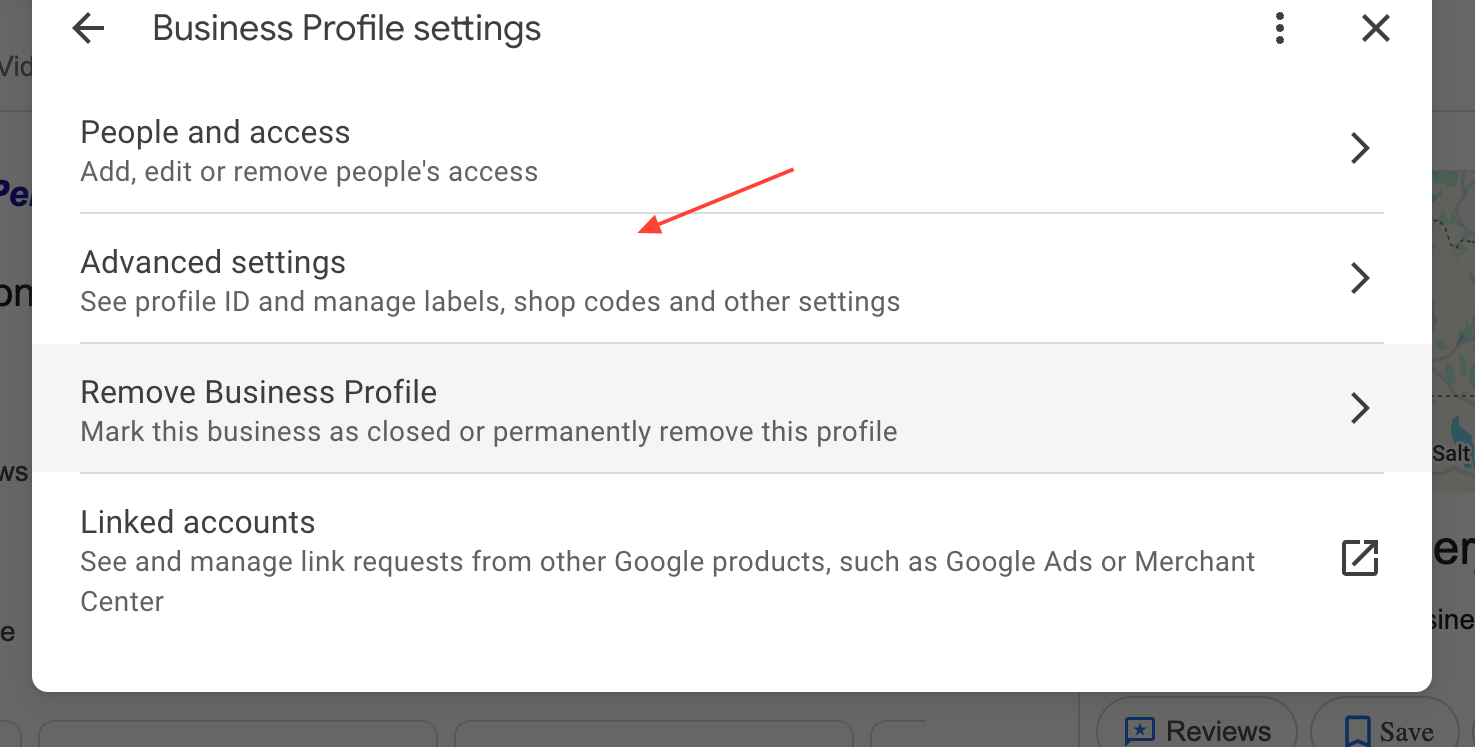
Select "Advanced settings"
Scroll down and you will see the Shop code